
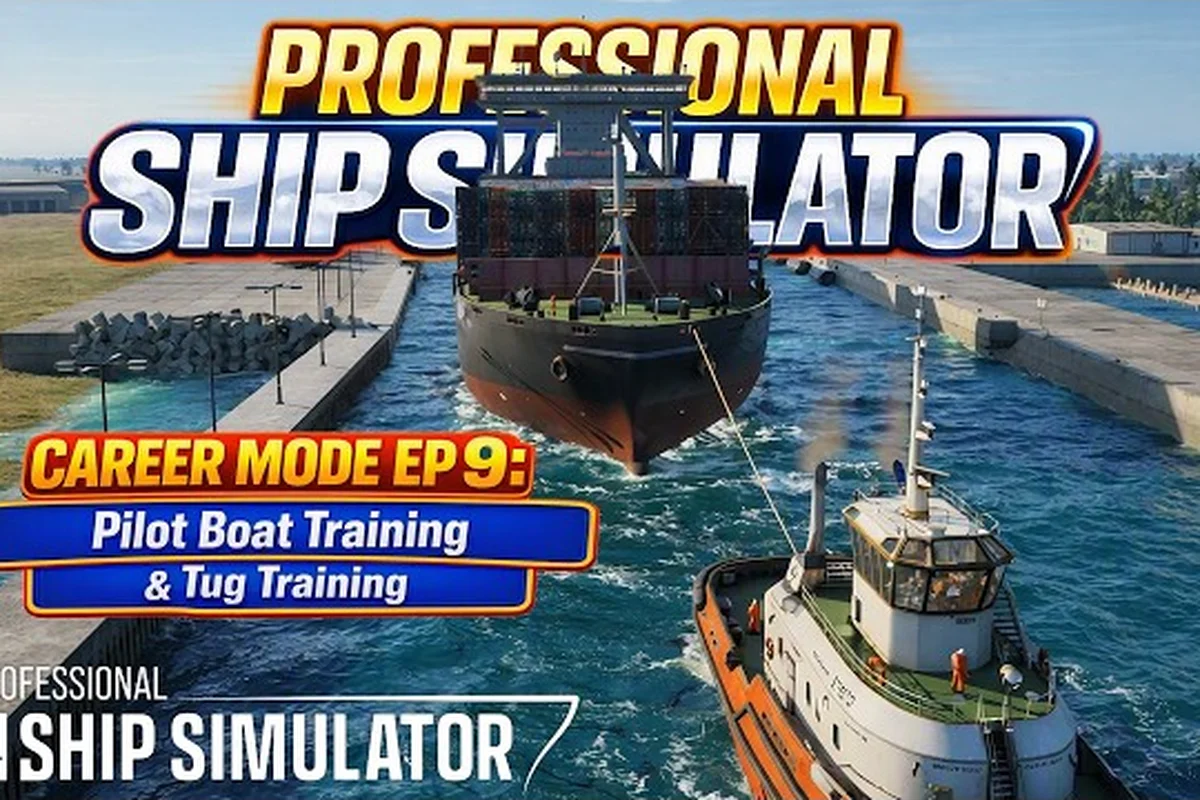
Professional Ship Simulator pilot vessel training is the gateway between casual harbour cruising and a real career at sea. Every career-mode skipper eventually faces graded drills that test thrust allocation, tug coordination, and berthing precision under varying wind. Knowing which drills to repeat, how the grading system scores you, and what each mission expects transforms frustrating restarts into a steady climb up the pilot ladder. This article breaks down the training flow, the tug-handling fundamentals, the advanced ship-handling scenarios, and the player ranking system that frames your growth inside Professional Ship Simulator.
Professional Ship Simulator Starting Out as a Career Pilot
A new player stepping into Professional Ship Simulator career missions begins on the bottom rung of a clear promotion ladder. The first hours are about earning sea time, not glory. Before any tug training is unlocked you need a working ship that can hold a course, and the Professional Ship Simulator beginner guide walks through that onboarding. From there, the training tab at the home port opens in a fixed order, and each tier gates the next.
Career Rank Tiers and Promotion Requirements
The pilot ladder in Professional Ship Simulator has six visible ranks, each tied to a combination of completed drills, total sea hours, and average mission score. Community testing of the early access build suggests thresholds are tuned so that a focused player can hit Rank 3 within roughly 15–20 hours of active piloting, while Rank 5 demands a wider spread of mission completions across multiple maps.
| Rank | Title | Required Drills | Avg. Score Threshold | Approx. Sea Hours |
|---|---|---|---|---|
| 1 | Deckhand Trainee | 0 | — | 0 |
| 2 | Junior Pilot | 3 | 60 | 5 |
| 3 | Certified Pilot | 8 | 70 | 15 |
| 4 | Senior Pilot | 14 | 75 | 30 |
| 5 | Chief Pilot | 22 | 80 | 50 |
| 6 | Harbour Master | 32 | 85 | 80 |
The "Avg. Score Threshold" column reflects the rolling mean across your last ten graded runs, so a single bad run does not collapse your rank, but a streak of mediocre scores will keep you stuck. Players report that maintaining 80+ across the bulk of your drills is the most efficient path through the early career.
Required Vessel Types for Early Drills
Your starting ship matters more than most players expect. The first berthing drill is graded against a small pilot boat, while the tug training scenarios are unlocked only after you have piloted at least one vessel with bow-thruster assist. The Professional Ship Simulator ship list catalogs which hulls come with integrated bow thrusters versus those that require tug support. For career-mode work, prioritise a hull that offers both manual and assisted modes so you can later compare handling under each regime.
Professional Ship Simulator Tug Training Fundamentals
Tug training is where most pilots stall. The tug is not a fast vessel and the controls feel sluggish at first, yet precision tug work underwrites every large-vessel berthing scenario you will face later. The official Knowledge Base frames tug operations as one of the simulator's headline challenges, and for good reason: a misplaced bollard pull can shear a fender or swing a 200 m container ship into the quay.
Tug Types and Their Handling Profiles
Three tug classes appear in the current build, each with distinct thrust curves and turning behaviour, and learning the difference before you queue a drill saves hours of restarts. The 12-tonne Compact Harbor Tug spins up its propulsion in roughly two seconds, making it ideal for practising pilot transfer and light berthing assist where penalty seconds for collisions stay low. The 35-tonne Standard ASD Tug demands longer azimuth alignment before thrust registers, while the 70-tonne Heavy Escort Tug's slow bollard-pull ramp-up penalises any rushed escort-tow approach — exactly the variables that decide your career-mission score in professional ship simulator pilot vessel training.
| Tug Class | Bollard Pull | Top Speed | Best Use Case | Handling Notes |
|---|---|---|---|---|
| Compact Harbor Tug | 12 t | 10 kn | Pilot transfer, light assist | Quick acceleration, tight turning radius |
| Standard ASD Tug | 35 t | 12 kn | General berthing assist | Omnidirectional azimuth thrusters |
| Heavy Escort Tug | 70 t | 11 kn | Large vessel escort, emergency stops | Slow spin-up, dominant in beam winds |
The Compact Harbor Tug is forgiving for first attempts but offers no margin in crosswinds above 15 kn. The Standard ASD Tug is the workhorse of the training scenarios, and the Heavy Escort Tug is reserved for advanced career missions where escorting tankers through narrow channels is the core task.
Tug Drill Scoring Criteria
Each tug training run is scored on four axes, weighted differently depending on the scenario. The simulator surfaces your line-by-line score after the run, and the rolling average feeds your rank. Knowing the weights lets you decide where to spend your polish.
| Scoring Axis | Weight in Standard Drills | What the Judge Measures |
|---|---|---|
| Line Connection | 30% | First-try success on messenger line |
| Thrust Control | 35% | Smooth, no over-thrust spikes |
| Position Holding | 25% | Drift under 0.3 m during standby |
| Communication Timing | 10% | VHF calls at scripted checkpoints |
Thrust Control carries the heaviest weight because it reflects the most transferable skill. Holding a 5,000 DWT bulk carrier steady against a 20 kn crosswind while a Standard ASD Tug pulls from the bow is the real test, and your tug training grade predicts how that run will go.
Advanced Ship Handling in Career Drills
Beyond tug work, advanced ship handling in Professional Ship Simulator covers a wide set of scenarios that only become available after you hold Certified Pilot rank. These drills are where the simulator earns its name, and the difficulty curve is steep. A pilot who can thread a 300 m tanker through a 200 m channel in calm conditions will still fail if they cannot read a current set against a leeward bank.
Scenario Categories and Difficulty
Advanced career missions fall into four scenario families — Restricted Visibility, Heavy Weather, Emergency Maneuver, and Complex Berthing — and each family has its own failure modes that the drills do not transfer between. A pilot who aces the radar interpretation in fog can still ground the vessel in 35-knot beam winds because drift compensation uses a completely different control law, and an Emergency Maneuver crash-stop that feels safe in open water becomes useless when a lock wall is 80 metres off the bow. Treat the families as independent skill trees inside your professional ship simulator career missions progression, not as difficulty rungs of the same ladder.
| Scenario Family | Core Skill Tested | Common Failure | Recommended Replay Count |
|---|---|---|---|
| Restricted Visibility | Radar interpretation | Collision with buoy | 4–6 |
| Heavy Weather | Drift compensation | Grounding | 5–8 |
| Emergency Maneuver | Crash-stop timing | Striking lock wall | 3–5 |
| Complex Berthing | Tug orchestration | Fender strike | 6–10 |
Complex Berthing demands the most repetition because it stacks every other skill on top. The Professional Ship Simulator how to dock resource covers the docking half of the picture, but advanced drills also require you to read the channel, manage the assist tugs, and trigger VHF calls in the right order. Treat each berthing scenario as a choreography problem and you will see scores climb quickly.
Wind and Current Reading in Practice
Wind in the simulator is modelled with directional gusts and lulls, not a flat constant. Community testing on the early access branch confirms that gust spikes of 6–8 kn above the reported average are common near harbour mouths, and the current tables in each map show set and drift separately so you can read them independently. A pilot who plans only against the average will be caught by the gusts; a pilot who plans against the gusts will be slow on the calm beat. The trick is to build a small margin into every ETA and let the tug do the final correction.
Professional Ship Simulator Player Ranking and Score Optimization
The player ranking system is the public-facing scoreboard of Professional Ship Simulator, separate from your in-game career rank. While the career rank gates content, the player ranking determines which seasonal leaderboards you appear on and unlocks cosmetic ribbons in some events. Understanding how both work keeps you from confusing a low career rank with a bad pilot rating.
Career Rank vs. Player Rank
Although both career rank and player rank appear as simple level indicators on the pilot's profile screen, they actually track fundamentally different aspects of your professional ship simulator pilot vessel training progression — career rank is content-gated and only advances when you complete structured career missions and accumulate sea hours in the simulator, while player rank is a performance-based metric derived from a rolling score average weighted by mission diversity that resets every competitive season.
| System | Measures | Resets | Visible To | Updates After |
|---|---|---|---|---|
| Career Rank | Drill count + sea hours | Never | Self only | Each completed mission |
| Player Rank | Rolling score average + mission diversity | Each season | Global leaderboard | Daily sync |
The diversity factor in player rank is what trips up specialists. A pilot who only grinds tug training will see their career rank climb but their player rank plateau, because the system rewards pilots who complete at least one mission in each of the four scenario families per season. Strategic players keep a rotation of two to three drill families active so the diversity check never starves.
Practical Score Optimization
Three habits separate pilots climbing the leaderboard from those stuck in the middle of the Professional Ship Simulator ranking ladder, and each one is rooted in how the scoring engine actually weighs your inputs during a Pilot Vessel Training session. Top-ranked players on the global board tend to chain micro-optimizations — shaving a second off VHF acknowledgements, landing approach vectors inside the 0.3° corridor, and sequencing tug deployments to overlap with current-assisted turns — rather than relying on a single flashy maneuver. In practice, that means treating every career mission repetition as a scoring audit: open the debrief, identify the two lowest-weighted sub-criteria for that scenario family, and target them in your next run before attempting the harder advanced ship handling drills.
-
Replay failed drills immediately — the first retry after a failure usually scores 5–10 points higher because the failure feedback is fresh in your mind.
-
Run the same drill family in clusters — a block of three tug drills then a block of two berthing drills yields a higher rolling average than alternating every attempt.
-
Track your VHF timing — communication timing is a small weighting, but it is also the easiest to get right with a simple checklist.
A practical target is to spend 70% of practice time on the scenario family where your rolling average is lowest. Once that family crosses the 80-point mark, rotate focus to the next weakest family. Most players hit a 90+ pilot rating within 40 hours of focused practice using this rotation method, according to player-submitted data on the Steam community board.
Career Mission Progression and Long-Term Goals
Once you have your career rank climbing and your player rank stable, career missions become the long arc. These are not the same as training drills: they are multi-stage contracts that pay in fictional currency, unlock new hulls, and contribute to seasonal events. A career mission can take 45 minutes to two hours depending on the route, and the reward is gated by completion, not by score.
Career Mission Tiers
| Tier | Unlock Requirement | Typical Duration | Reward Type |
|---|---|---|---|
| Local Run | Career Rank 2 | 20–40 min | Base salary |
| Coastal Run | Career Rank 3 | 45–75 min | Salary + reputation |
| Regional Run | Career Rank 4 | 60–100 min | Salary + ship unlock tokens |
| International Run | Career Rank 5 | 90–150 min | Salary + cosmetic ribbons |
The Professional Ship Simulator Knowledge Base Scenarios page describes how these missions layer training, communication, and equipment responses on top of the navigation challenge, which is why they feel more like real contracts than training drills. International Runs are the closest the simulator gets to an open-world career, with multi-leg routes that require fuel planning, crew rest, and weather-window decisions.
Building a Long-Term Career Path
A solid career path balances grind and exploration. Pilots who only chase the next rank burn out by Rank 4 because they never learn the maps. Pilots who only explore never hit the unlock thresholds. The balanced approach is to alternate one "grind week" focused on a single weak drill family with one "exploration week" where you take at least one career mission on a map you have not visited in 30 days. The Professional Ship Simulator manoeuvring guide is a useful reference during exploration weeks because it covers the harbour-specific handling quirks that vary by map. Over a season, this rhythm typically produces a 10–15% higher player rank than pure grinding, and it keeps the simulator feeling fresh.
Frequently Asked Questions
What is the fastest way to rank up in Professional Ship Simulator career mode?
The fastest path focuses on the four scenario families in rotation rather than grinding one. Spend roughly 70% of practice time on your weakest family's drills until your rolling average hits 80, then rotate. Career Rank 3 typically arrives within 15–20 hours of focused practice under this method, and your player rank benefits from the diversity bonus that the system grants for touching multiple families.
Do I need to complete tug training before attempting berthing drills?
No, the gates are independent. Tug training is recommended first because it teaches thrust control and line-handling fundamentals, but the berthing drill at Career Rank 2 only requires a pilot boat with bow-thruster assist. Many players skip the heavy tug drill until Career Rank 3 and return with much better context for how the assist tug will behave in real berthing scenarios.
How is the player ranking score calculated in Professional Ship Simulator?
The player ranking score is a weighted average of your last ten graded runs, with bonuses for scenario-family diversity, mission length, and weather difficulty. A clean run in a heavy-weather coastal mission can outweigh two clean runs in calm harbour drills, which is why specialists plateau. The system resets each competitive season, so a strong run late in the season can lift your final standing significantly.
Can I replay career missions after completing them once?
Yes, all career missions and drills replay infinitely. There is no penalty for replaying, and the simulator tracks your personal best score per mission separately from your rolling average. Replaying a career mission at a higher career rank does not increase the reward, but it is an effective way to push your rolling average up if you are chasing a seasonal leaderboard position.
Which ship should I pick for my first career-mode playthrough?
Pick a small to mid-size hull with bow-thruster assist and decent fuel range, such as the patrol boat or the compact coast guard cutter. These vessels forgive beginner mistakes during the early career missions while still exposing you to wind, current, and tug coordination. Once you have reached Career Rank 4, the heavy escort and tanker classes become viable, and the simulator opens up considerably because larger hulls require the tug-handling skills you have been training.