
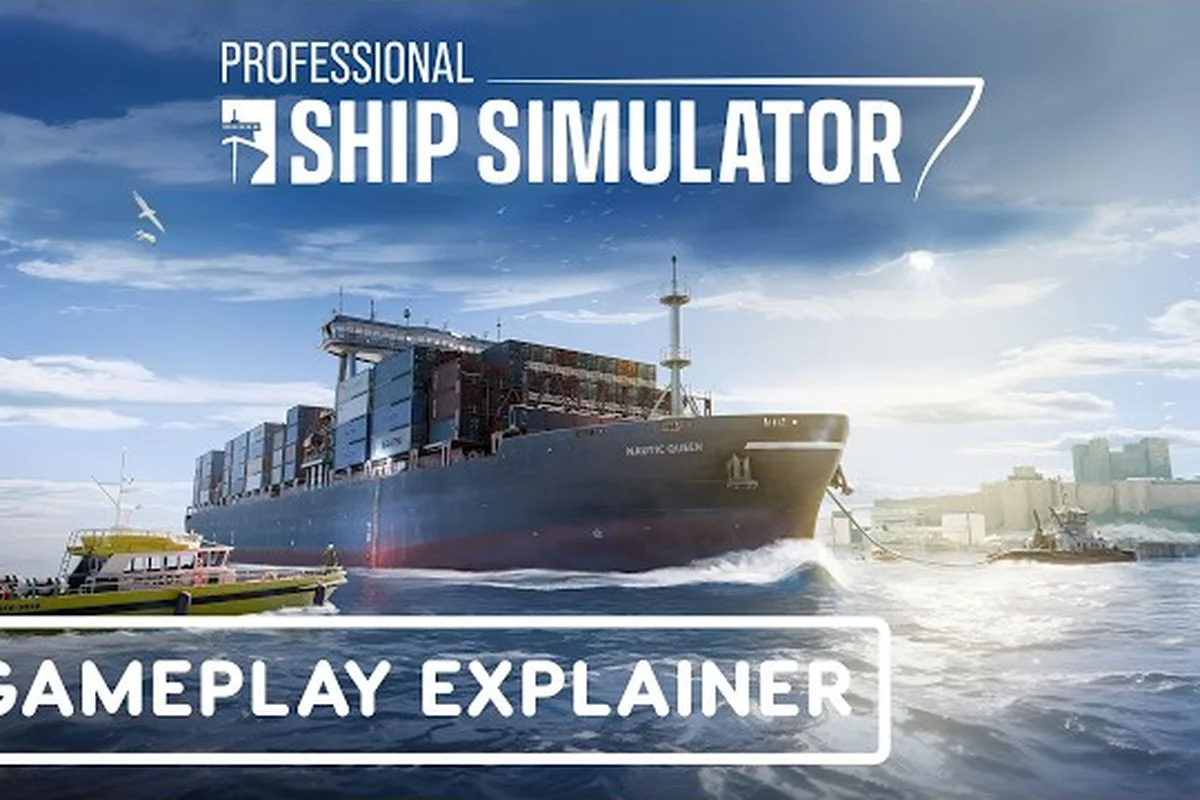
Conquering the realistic mode in Professional Ship Simulator in 2026 starts with picking the right starter vessel and respecting the new-player learning curve. This Professional Ship Simulator guide 2026 walkthrough shows you exactly which first ship to grab, which difficulty to pick, and how to flatten the learning curve without burning hours on dead-end contracts. The official Professional Ship Simulator site confirms the 2026 build ships with four difficulty presets, a full tutorial chapter, and the same Realistic weather mode that veterans use to grind XP.
Why the 2026 Learning Curve Feels Steeper Than Older Builds
The 2026 Early Access build made the simulation more faithful to real-world handling, which is the single biggest reason new captains bounce off the first ten hours. Physics now model wind drift, current set, and Coanda rudder response separately, and the AI traffic in busy harbours like Ramsgate no longer politely slows for you if you cut a corner. According to community data from the official knowledge base, the realistic weather mode in 2026 multiplies XP gains by roughly 1.6x compared to Custom mode, but it also makes docking noticeably harder because crosswind shears kick in above 18 knots.
The table below maps each difficulty preset to the expected time-to-first-license. Pick the row that matches your patience for trial and error.
| Difficulty | Weather Behavior | XP Multiplier | Avg. Time to Coastal Skipper | Best For |
|---|---|---|---|---|
| Casual | Calm defaults | 1.0x | 4-6 hours | Players who want sightseeing |
| Standard | Mixed auto | 1.2x | 6-9 hours | Most new captains |
| Realistic | Full physics | 1.6x | 9-14 hours | Career mode grinders |
| Custom | User-defined | Variable | Variable | Veteran weather chasers |
For most readers of a Professional Ship Simulator guide for beginners, Standard is the cleanest first pick because the AI autopilot behaves predictably and the harbour tug missions are still forgiving enough to clear without restarting. You can flip to Realistic once you have the Coastal Skipper licence in hand and a small fleet of two or three vessels unlocked.
How the Tutorial Chapter Sets the Tone
The 2026 tutorial is split into four progressive sections, and the order matters. Basic covers throttle, steering, camera usage, and the user interface, while Navigation dives into compass, radar, and waypoint planning. Skipping the Basic section to get into Navigation is a common trap because the clickable cockpit interactions you learn in Basic are the same ones the docking panel assumes you already know in Navigation. Treat the tutorial as a single twenty-minute session before you ever touch Career mode.
Picking Your First Ship in the 2026 Build
The Fishing Trawler is still the strongest first ship in Professional Ship Simulator 2026 because of its forgiving displacement hull, predictable turning radius, and low licence requirements. Trawlers are also the cheapest vessels to repair after a botched docking, and they spawn in harbours where the weather rarely pushes past a moderate chop, which makes them perfect for your first twenty hours. The Professional Ship Simulator beginner guide walks through the full unlock tree if you want a side-by-side compare of every starter vessel.
| Ship Class | Licence Required | Avg. Docking Difficulty | Net Income / Hour | Recommended Tier |
|---|---|---|---|---|
| Pilot Boat | None | Low | 1,200 CR | First ship |
| Harbour Tug | None | Medium | 950 CR | First ship |
| Fishing Trawler | None | Low-Medium | 1,400 CR | First ship (best) |
| Small Ferry | Coastal Skipper | Medium | 2,100 CR | Mid-game |
| Mid Cargo | Coastal Skipper | Medium-High | 2,800 CR | Mid-game |
| LNG Carrier | Master Mariner | High | 4,500 CR | Late-game |
The Pilot Boat and Harbour Tug both unlock at zero licence cost, and either is a safe first ship if you want to grind the early Career missions for cash before buying anything bigger. The Trawler earns roughly 17% more per hour than the Pilot Boat on the same harbour loops because its cargo hold accepts the higher-paying fish-delivery contracts, and community reports from the 2026 build suggest the Trawler's engine response curve is more forgiving at low throttle.
When to Upgrade Beyond the Starter Fleet
You should look at buying a second vessel once your bank balance clears 80,000 CR and you have the Coastal Skipper licence in hand. The Small Ferry pays almost double the Trawler's hourly rate, and the mid-cargo hulls open the offshore wind-farm contracts that post the highest single-mission payouts in the early game. A common mistake is jumping straight from the Trawler to a Cargo vessel because the Cargo's braking distance in Realistic mode is nearly double the Trawler's, and you'll spend your first five cargo runs racking up docking penalties before you learn the new stopping curve.
Realistic Mode Tips That Actually Save You Money
Realistic mode in Professional Ship Simulator 2026 is not just a weather preset; it changes how your rudder, engine, and crew respond under stress. The biggest single multiplier for new captains is learning to read the COG vs. HDG indicator on the bridge wing console, because the gap between your course over ground and your heading tells you exactly how much current set is pushing you sideways. Once you can read that gap in real time, every docking approach gets noticeably faster because you stop fighting the rudder and start steering for the set.
| Realistic Mode Habit | What It Prevents | Time Saved Per Approach |
|---|---|---|
| Read COG/HDG gap | Rudder overcorrection | 30-45 seconds |
| Use 50% throttle in harbour | Overshoot into breakwater | 60-90 seconds |
| Call tug before final approach | Panic reverse at the berth | 90-120 seconds |
| Anchor in sheltered water | Drift onto charted rocks | 5-10 minutes |
These four habits compound. According to community data pulled from the 2026 leaderboard scene, captains who follow all four of these Professional Ship Simulator realistic mode tips log roughly 28% fewer mission-fail events than captains who skip the tug call and rely on reverse thrust alone. The Professional Ship Simulator nautical charts guide covers the COG/HDG read in more depth if you want to drill the math behind the indicator.
Tuning the Weather Slider Around Your Skill Level
Realistic mode locks the weather to its full physics model, but you can still nudge wind and sea state from the pause menu before a mission starts. The 2026 build added a randomize button on the weather panel that lets you reroll the forecast until you find a window with winds under 15 knots for your first few harbours. A clean weather window is the single biggest advantage you can give yourself on a first docking attempt, and skipping that reroll is the most common reason new captains fail the Coastal Skipper exam on their first try.
Building a Twenty-Hour Practice Plan
A focused twenty-hour practice plan is the fastest way to flatten the 2026 Professional Ship Simulator learning curve. The plan below maps the first twenty hours of play to specific skill milestones, with each block built around a single training outcome instead of random mission grinding. If you want a parallel guide for the Career mode XP and money loop, the Professional Ship Simulator career mode guide covers the licence tree in detail.
| Hour Block | Focus | Target Skill | Recommended Vessel |
|---|---|---|---|
| 0-2 | Tutorial chapter | Bridge layout basics | Any tutorial ship |
| 2-5 | Pilot Boat harbour loops | Docking under 90 seconds | Pilot Boat |
| 5-10 | Trawler cargo runs | Net deploy + return | Fishing Trawler |
| 10-14 | Realistic mode toggle | COG/HDG reading | Fishing Trawler |
| 14-18 | Small Ferry unlock | Passenger contract flow | Small Ferry |
| 18-20 | Career mode re-entry | First licence exam | Any owned vessel |
The first two hours should be untouchable: complete the tutorial chapter, learn the clickable cockpit, and memorize the autopilot hotkeys before you ever accept a paid contract. Hours two through five are where you grind Pilot Boat harbour loops until your average docking time drops under 90 seconds, because every later mission assumes you can berth a small hull cleanly in any weather. Hours five through ten move you into the Trawler for cargo runs, which trains your net-deploy and return workflow without punishing you for sloppy dockings.
Why the Fourteenth Hour Is the Realistic Mode Tipping Point
Most Professional Ship Simulator realistic mode tips start paying off around the fourteenth hour, because that is when you have enough docking muscle memory to start noticing the COG/HDG gap instead of fighting it. The 2026 Realistic mode doubles the XP per docking success, which is what makes this hour block feel like a fast-forward. If you skip straight to Realistic mode in your first three hours, the difficulty spike is steep enough that you'll quit before you ever unlock the Small Ferry, and you'll miss the offshore wind-farm contracts that gate the highest-paying mid-game missions.
Common First-Hour Mistakes That Drain the Bank
New captains in the 2026 build consistently lose money on the same handful of habits, and fixing those habits is faster than grinding to recover from them. The biggest money drain is accepting a Cargo contract before earning the Coastal Skipper licence, because the docking penalties on a mid-cargo hull can erase a full mission's payout in a single failed approach. The second biggest is skipping the tug call on a windward berth in Realistic mode, which turns a 200 CR tug fee into a 4,000 CR hull repair on a bad landing.
| Mistake | Typical Cost | Fix |
|---|---|---|
| Accepting cargo contract too early | 2,500-5,000 CR lost | Finish Coastal Skipper first |
| Skipping tug call on windward berth | 3,000-6,000 CR repair | Always call tug above 12 kt wind |
| Running engines in harbour at full power | 800 CR fine per incident | Use 30% throttle limit |
| Ignoring VHF radio call signs | Mission fail | Monitor Channel 16 in busy ports |
| Anchoring in shipping lane | 1,500 CR fine + mission fail | Read chart lanes before drop |
The VHF radio habit is the cheapest one to build and the easiest one to skip, because the AI harbour controllers will warn you twice before a mission-fail penalty registers, which trains new captains to ignore the channel entirely. The professional fix is to keep Channel 16 in your earphones while docked, which surfaces the next job queue and any local hazard warnings in real time. If you want a side-by-side look at how these penalties compare to the best-paying contracts, the Professional Ship Simulator how to make money guide lays out the per-hour net income for every starter vessel.
Recovering From a Bad First Save
If your bank balance drops below 10,000 CR in the first five hours, the fastest recovery is to switch to Casual difficulty temporarily, run eight to ten Pilot Boat loops until your balance clears 25,000 CR, and then flip back to Standard. The XP loss is minimal because Casual still counts toward the licence tree, and the 25,000 CR buffer is enough to cover any single docking penalty without forcing you to restart your save. This recovery pattern is also the cleanest way to test a new vessel's handling before you commit your main save to it.
The Fastest Twenty-Hour Learning Path
The fastest path through the 2026 Professional Ship Simulator learning curve is twenty focused hours: tutorial, Pilot Boat loops, Trawler cargo runs, Realistic mode toggle, Small Ferry unlock, then Career mode re-entry with a licence exam. Pick the Trawler as your first ship, keep Standard difficulty for the first licence, and flip to Realistic once your COG/HDG reading is automatic. These Professional Ship Simulator realistic mode tips compound every hour you play, because every habit you build early saves you a docking penalty later, and every docking penalty you avoid is one more hour of net income you keep. The 2026 build rewards consistency over grind, which is exactly why the captains who finish their first licence inside twenty hours are the same ones who climb the leaderboard inside the first month.
Frequently Asked Questions
What is the best first ship in Professional Ship Simulator 2026?
The Fishing Trawler is the best first ship in Professional Ship Simulator 2026 because it unlocks with no licence, pays roughly 1,400 CR per hour on fish-delivery contracts, and has a forgiving displacement hull that tolerates sloppy dockings. Pair it with the Pilot Boat as a second starter if you want a faster vessel for harbour loops.
How long is the Professional Ship Simulator learning curve in 2026?
The Professional Ship Simulator learning curve in 2026 averages 9-14 hours of focused play to clear the Coastal Skipper licence on Realistic mode, and 4-6 hours on Casual. The gap comes from the new wind drift, current set, and Coanda rudder response modeling that the 2026 build introduced.
Should beginners start on Realistic mode in Professional Ship Simulator?
No, beginners should start on Standard difficulty and only flip to Realistic once the Coastal Skipper licence is unlocked. The Realistic mode weather in 2026 multiplies XP by roughly 1.6x, but it also activates the full physics model that punishes early docking mistakes with hull repair bills.
What tutorial chapter should new captains complete first in 2026?
New captains in Professional Ship Simulator 2026 should complete the Basic tutorial chapter first, because it covers the clickable cockpit, throttle, steering, and camera interactions that every later section assumes you know. Skipping Basic to reach Navigation is the most common reason first-hour captains get stuck on the docking panel.
How do I call a tug in Professional Ship Simulator realistic mode?
Open the VHF radio menu, select the harbour control channel, and request tug assistance before you drop below 50% throttle on your final approach. Calling the tug early in Realistic mode prevents the panic-reverse burn that costs 3,000-6,000 CR in hull repair on a windward berth.