
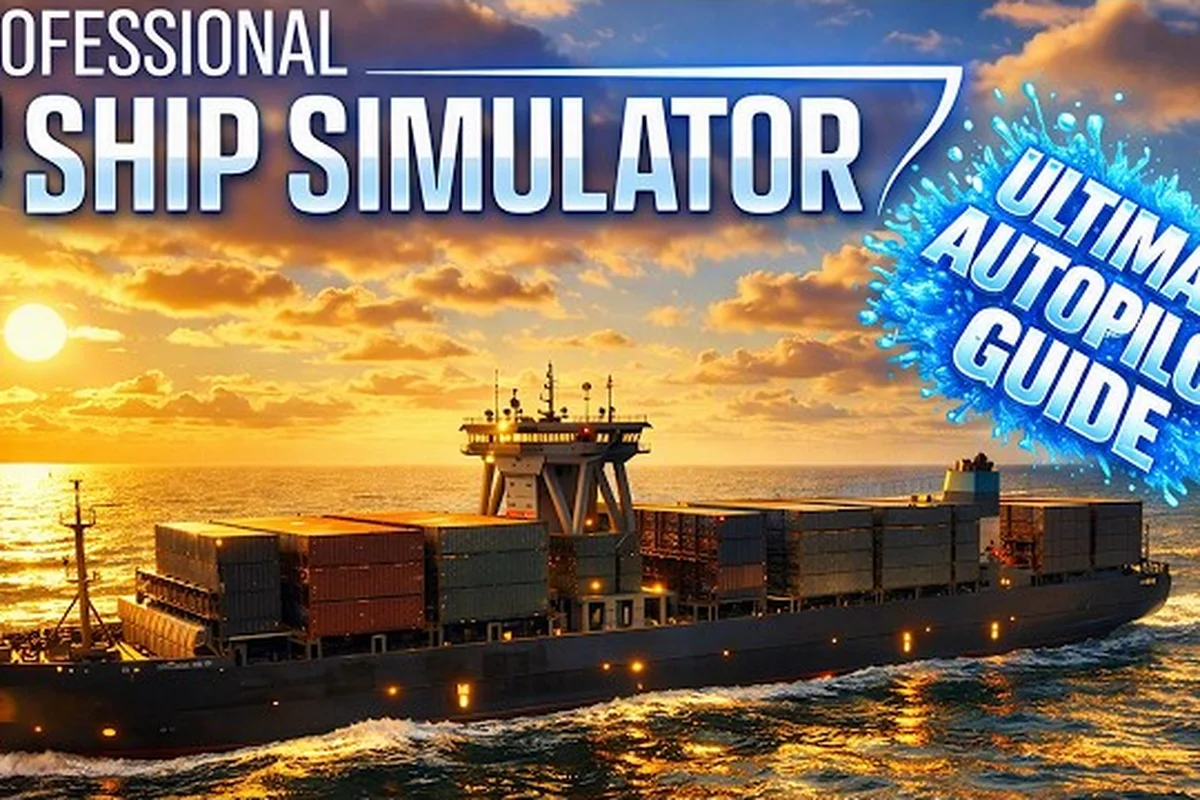
The bridge is louder than the throttle in Professional Ship Simulator, and most first-hour pilots never realize it. This Professional Ship Simulator radio guide breaks the VHF language, channel etiquette, and the underlying physics (bank effect, propeller walk, wind drift) that radio operators assume you already understand. The right calls at the right moment save tugs, save time, and save the bank balance, and that is why radio fluency belongs on the same shelf as throttle control in the Professional Ship Simulator beginner guide curriculum.
The VHF Stack and Why Channel Choice Matters
Professional Ship Simulator ships use a layered VHF system where each channel carries a specific role, and mixing them up is the fastest way to confuse a harbor controller. Channel 16 is the international hailing and distress frequency, the equivalent of a ship's front door. Channel 13 is bridge-to-bridge, used for passing arrangements between two moving vessels. Working channels (06, 09, 12, 14, 67, 68, 71, 72, 73, 77) are assigned by Vessel Traffic Service (VTS) for port operations, and they shift by region. The Baltic working set leans heavily on 12 and 73, while English Channel pilots use 09, 67, and 71. Picking the wrong channel is not a stylistic mistake; it is a safety one, and a controller will sometimes ignore a call on the wrong frequency rather than risk a misrouted reply.
The simulation models this faithfully, and early access players have learned to confirm the working channel before they ever leave the berth. According to the NauticXP view modes reference, view presets and the clickable cockpit are designed so that the radio panel sits within a single mouse throw of the telegraph, which is intentional: real pilots rarely take their eyes off the water for long, and the sim expects the same discipline. Treat the radio panel as part of the bridge, not a separate window, and the language becomes muscle memory.
Channel Reference at a Glance
| Channel | Common Use | Region Bias | Pilot Behavior |
|---|---|---|---|
| 16 | Hailing, distress, safety | Global | Greet, then switch to working channel |
| 13 | Bridge-to-bridge navigation | Coastal waters | Use for overtaking and crossing traffic |
| 12 | VTS working, port traffic | Baltic Sea harbors | Confirm docking sequence and pilot boarding |
| 09 | VTS working, secondary port traffic | English Channel, Ramsgate | Backup port control during heavy traffic |
| 67 | Port operations | North Sea | Often tug coordination when assigned |
| 71 | VTS, port pilot calls | Mixed | Pilot exchange and berth lineup |
| 73 | VTS, Baltic inland | Baltic harbors | Frequent in Swedish and Polish ports |
A second habit worth installing early: read the VTS panel before you key the mic. The sim labels each active working channel in the upper right of the chart overlay, and the channel name is also announced at the start of every mission briefing. A pilot who keys 16 to "request a tug" will be told to stand by, because tug coordination lives on the working channel, not on the hailing channel. Channel discipline is the cheapest performance gain available in the early access build, and it is one of the few habits that scale directly to the real bridge.
Anatomy of a Clean Radio Call
A clean VHF call has four parts: the called station, the calling station, the message, and the over. The format is unforgiving because the same script is used at 0300 in fog and at 1500 in flat calm, and the rhythm does not change. The "Ramsgate Port Control, Ramsgate Port Control, this is MV Westerland, MV Westerland, channel 09, over" pattern repeats in every harbor, and skipping any of those five beats produces a reply that asks you to repeat the call. That repetition costs the harbor control operator attention, and attention is the resource the simulation guards most carefully.
Listen for the controller's voice; the sim uses distinct character voices for each port. Recognizing Ramsgate Port Control versus Rostock VTS by audio alone is a milestone, and it usually lands after the first ten to fifteen hours. By the time a pilot can name the controller by voice and the correct working channel from a single sentence of mission text, the rest of the bridge language starts to feel like a conversation rather than a script.
Professional Ship Simulator Physics Explained Through the Radio
Radio is the surface; physics is the substrate. When a controller tells a pilot to "expect set to starboard" or "maintain sternway minimal," they are describing the outcome of forces that the simulator models with unusual precision. The official Nautic XP features list confirms the physics layer includes propeller effect (ship rotation based on propeller rotation), bank effect (ship drift caused by hydrodynamic effect, when close to an object), damaged hull, flooding, anchor drafting, sea current drift, and wind drift, plus cargo changes physics. That is a long list, and the radio language maps onto it almost term for term. A controller who says "expect suction" is naming the bank effect. A pilot who complains of yaw while reversing is naming the propeller effect. The radio is how the simulation teaches you to talk about forces you cannot see from the bridge.
The physics layer is not decorative. According to the same Nautic XP features documentation, mooring and tow lines can break at too high tension, the power system can fail under load, and damaged hulls flood progressively. Each of these states has a corresponding radio vocabulary: "tension on the headline," "blackout in port main," "list developing to port." Pilots who learn the vocabulary recover faster, because the controller can hand them a diagnosis rather than asking them to describe what they see.
Physics-to-Phrase Map
| Sim Mechanic | Common Controller Phrase | Pilot's Practical Response |
|---|---|---|
| Bank effect | "Expect suction toward the wall" | Reduce lateral speed, hold a slight off-axis heading |
| Propeller effect | "Cradle the stern to starboard" | Pre-empt with bow thruster bursts on the correct side |
| Wind drift | "Wind is setting you onto the berth" | Increase rudder angle, request tug standby |
| Current drift | "Set is to the east, two knots" | Aim up-channel, time the approach for slack water |
| Damaged hull | "Vessel listing, advise status" | Engage damage control, request tug assistance |
| Line tension | "Ease the spring, headline is at limit" | Reduce power, pay out line on the winch |
| Blackout | "Vessel blackout, confirm anchor holding" | Drop anchor if holding ground, declare NUC |
The professional pilot is not memorizing a script. They are translating force vectors into phrases that the controller can act on. The same translation works in reverse: when the controller says "slight squat at the bend," they are warning the pilot that the ship's stern will sit lower as water is drawn under the hull in a shallow channel, and a fast ferry can suddenly lose steerage. The radio is the interface; the physics is the engine underneath.
The Bank Effect in Channel-Restricted Waters
Bank effect is the most underestimated force in the simulation, and it is the one that catches career-mode captains the hardest. When a hull passes close to a vertical wall (a quay, a lock chamber, a narrow canal bank) the water between hull and wall accelerates, the pressure drops, and the ship is pulled toward the wall. The faster the ship moves, the stronger the suction; the closer the wall, the more violent the pull. In a real canal at six knots, bank effect can yaw a tanker 10 degrees without warning. The simulation mirrors that behavior, and a pilot who treats bank effect as a curiosity will eventually meet it during a foggy transit of the Kiel Canal or a tight Ramsgate inner harbor approach.
The radio tells you when bank effect is coming. Controllers say "narrow channel ahead, reduce to bare steerage" or "deep water to port, hold centerline" precisely because bank effect makes the centerline uncomfortable to hold. The correct pilot response is to slow down early, not late, because once the bow has been pulled into the wall, the rudder alone cannot recover the heading. The tug is your friend here, and the controller will sometimes offer one proactively if the channel narrows below roughly 200 meters of width-to-length ratio.
Bank Effect Response by Vessel Class
| Vessel Class | Critical Wall Clearance | Trigger Speed | Recommended Pre-emptive Action |
|---|---|---|---|
| Fishing trawler, small hull | ~3-4 m | Above 5 knots | Slow to 3 knots, center the rudder |
| Pilot boat, tug | ~2-3 m | Above 6 knots | Use thrusters, brief the crew |
| Ferry, car ferry | ~6-8 m | Above 8 knots | Reduce to 6 knots, alert VTS |
| Cargo, general | ~10-12 m | Above 7 knots | Request tug, drop to 4-5 knots |
| Tanker, LNG carrier | ~15-20 m | Above 5 knots | Mandatory tug, VTS clearance, anchor standby |
| Cruise ship | ~20-25 m | Above 6 knots | Two tugs minimum, VTS clearance |
Bank effect is not a single moment; it is a regime. The pilot who enters a channel at 8 knots will see bow pull, yaw oscillation, and stern suck in sequence, and the radio call about each phase looks different. "Bow pulling to port" comes first, "yawing to starboard" comes second, and "loss of heading control" is the third and final warning. By the time the third call arrives, the channel exit is usually closer than the wall, and the right answer is a controlled reduction in speed rather than a desperate rudder swing.
The simulation also models bank cushion, the mirror of bank effect. When two ships pass in a narrow channel, the water between them accelerates, the pressure drops, and the two vessels are pulled together. Controllers warn about this with "vessel passing to port, expect attraction." The right response is to hold course, not to alter away, because altering away closes the gap and increases the suction. This is a counterintuitive pilot move, and it is one of the reasons the radio call matters: the controller can tell you to hold course precisely because they can see the geometry you cannot.
Propeller Effect, Yaw, and Why the Stern Walks
Propeller effect is the second physics force that has its own radio vocabulary, and it is most pronounced on single-screw vessels with a right-hand (clockwise) propeller, which is the majority of the sim's fleet. When the engine is put astern, the propeller's rotation pushes the stern to port (on a right-hand prop) and the bow to starboard. The same right-hand rotation pulls the stern to starboard when going ahead, but with much less force. The result is that single-screw ships handle asymmetrically in reverse, and the pilot who reverses without expecting the stern walk will find the bow swinging in the wrong direction.
The radio is full of workarounds. A controller who says "approach with sternway from the east" is asking the pilot to use the natural yaw direction to line up the berth. A controller who says "mind your starboard swing" is warning that the bow is about to walk to starboard when the engine answers astern. The pilot's response is to start the rudder correction before the stern walk has had time to develop, which usually means pre-swinging 5 to 10 degrees in the opposite direction before reversing.
Single-Screw vs Twin-Screw Propeller Behavior
| Configuration | Ahead Yaw | Astern Yaw | Tactical Implication |
|---|---|---|---|
| Single-screw, right-hand prop | Mild starboard pull | Strong port stern walk | Plan approach with port-side berths to use the natural swing |
| Single-screw, left-hand prop | Mild port pull | Strong starboard stern walk | Plan approach with starboard-side berths |
| Twin-screw, inboard | Symmetric, controllable | Symmetric, controllable | Best for tight locks, ferries with frequent reversing |
| Twin-screw, outboard (azimuth) | Highly maneuverable | Highly maneuverable | Tug-equivalent precision, no natural yaw |
| Z-drive, Voith Schneider | No fixed direction | Full 360 thrust | Overkill for berthing, valuable in locks and ice |
The professional Ship Simulator physics explained through the radio shows why so many first-time pilots end up in the wrong orientation. They apply ahead power to slow down, expect the bow to come round, and instead watch the stern swing the wrong way. By the time they have corrected with the rudder, the wind has caught the bow and the geometry is broken. The simulation, in keeping with real physics, rewards the pilot who uses the right amount of astern power, in the right direction, at the right moment. The controller, in turn, will sometimes ask for a specific maneuver: "slight sternway, three to four seconds, then stop" is a frequent call in tight locks, and it is the controller's way of asking the pilot to use the stern walk to lay the bow on the correct heading.
Propeller effect is also why a slow bell matters. Crashing the telegraph to full astern creates a yaw rate that the rudder cannot counter in time; a slow bell to one-third astern allows the rudder and bow thruster to work together. The simulation models this precisely, and a pilot who develops a habit of gentle telegraph movements will find their radio calls shrinking, because the controller does not need to repeat instructions when the ship is doing what they asked.
The Bridge-to-Bridge Conversation in Career Mode
Career mode layers a new radio audience on top of the harbor stack: other ships. Bridge-to-bridge calls happen on channel 13, and they are short, scripted, and unforgiving. Two ships meeting head-to-head, crossing, or overtaking each other must agree on the maneuver before they are within five nautical miles, and the failure mode is asymmetric: the slower or less maneuverable vessel has the right of way, the smaller vessel is the one expected to call. In the sim, that means a 200-meter bulk carrier will not hail a fishing trawler to pass; the trawler calls the bulk carrier and offers a red-green passing arrangement.
The radio language for bridge-to-bridge has its own dialect. "Standing by on channel 13" is a polite "I hear you, I will reply shortly." "Make my course zero six zero, my speed nine knots" gives the other ship a clear picture of the closure geometry. "I am the stand-on vessel, altering port to port" is the most common and most easily misheard phrase in the sim, because it can be confused with "I am altering starboard." The proper reply is "agreed, I will maintain course and speed," and that exchange closes the passing maneuver.
Bridge-to-Bridge Phrasebook
| Situation | Your Call | Expected Reply |
|---|---|---|
| Head-on meeting, you are the give-way vessel | "Vessel on port bow, propose passing port to port" | "Agreed, passing port to port" |
| Overtaking, you are faster | "Vessel ahead, request permission to overtake on your starboard side" | "Permission granted, maintain CPA of one cable" |
| Crossing, you are crossing from starboard | "Vessel on starboard bow, I am crossing, I will alter to starboard" | "Understood, I will maintain course and speed" |
| Fog closure, radar contact | "Vessel on radar bearing zero four five, CPA zero point three, what is your intention" | "I am altering course to zero one zero to open CPA" |
| Restricted visibility, anchored | "Vessel at anchor on channel 13, one minute on watch" | Acknowledged, usually no reply |
| Engine failure | "Mayday mayday mayday, this is MV [name], engine failure, position [lat/long], drifting" | VTS takes over, all other traffic stands by |
The career-mode value of a clean bridge-to-bridge exchange is not the salary; it is the XP multiplier. A clean crossing with no CPA violation pays roughly 1.5x the base career XP, and a single missed radio call drops the multiplier. Over a thirty-mission career, that ratio is the difference between a top-100 leaderboard finish and a mid-pack finish. The professional ship simulator radio guide ethos treats every channel 13 call as a scored performance, because the sim does.
Career mode also layers the weather broadcast into the radio flow, and the channel 20 weather radio from the Professional Ship Simulator weather broadcast guide ties into the bridge-to-bridge traffic pattern. A storm front closing the English Channel changes the crossing agreements: vessels become more willing to accept a wider CPA, and pilots use the weather broadcast to plan the timing of bridge-to-bridge calls so that they are not negotiated during a visibility drop. The radio is one system; weather, physics, and traffic are inputs to it.
Frequently Asked Questions
What is the first channel a new captain should learn in Professional Ship Simulator?
Channel 16 is the international hailing and distress frequency, and it is the first channel any new captain should memorize. The professional ship simulator radio guide recommends using channel 16 to contact a working channel, then switching immediately, because holding a working conversation on 16 is considered poor bridge etiquette and will draw a reminder from VTS.
How do I know when bank effect is going to be a problem on my approach?
Bank effect becomes a serious handling factor when the channel width drops below roughly twice your ship's length, and the speed exceeds 5 to 6 knots. The radio will warn you with phrases like "narrow channel ahead, reduce to bare steerage," and the right response is to drop to the lowest speed that keeps the rudder effective before the wall closes in.
Does propeller effect matter for twin-screw ships like ferries?
Twin-screw ships have much less natural yaw because the two propellers can counter each other, and azimuth or Z-drive vessels have essentially none. The simulation models this faithfully, so ferries and cruise ships behave predictably in reverse, while single-screw cargo and tanker hulls will exhibit the classic stern walk that every pilot learns to plan around.
Can I customize the radio panel and channel presets?
The clickable cockpit exposes the radio panel as a 3D object, and channel presets are available through the bridge's quick-select menu. Pilots can save a working-channel preset for each harbor they frequent, which removes the "which channel does Ramsgate use again" hesitation that often triggers an off-frequency call during a tense docking.
Where do weather, fuel, and physics all meet in the radio flow?
The radio is the surface where the simulation's three core systems converge. Weather broadcasts change the CPA you can safely agree to in a bridge-to-bridge call, fuel management changes the urgency of a power reduction call, and bank or propeller effects change the maneuver vocabulary you and the controller use. Treat the radio as the language layer for the sim's underlying physics, and the bridge becomes a coherent system rather than a pile of independent switches.