
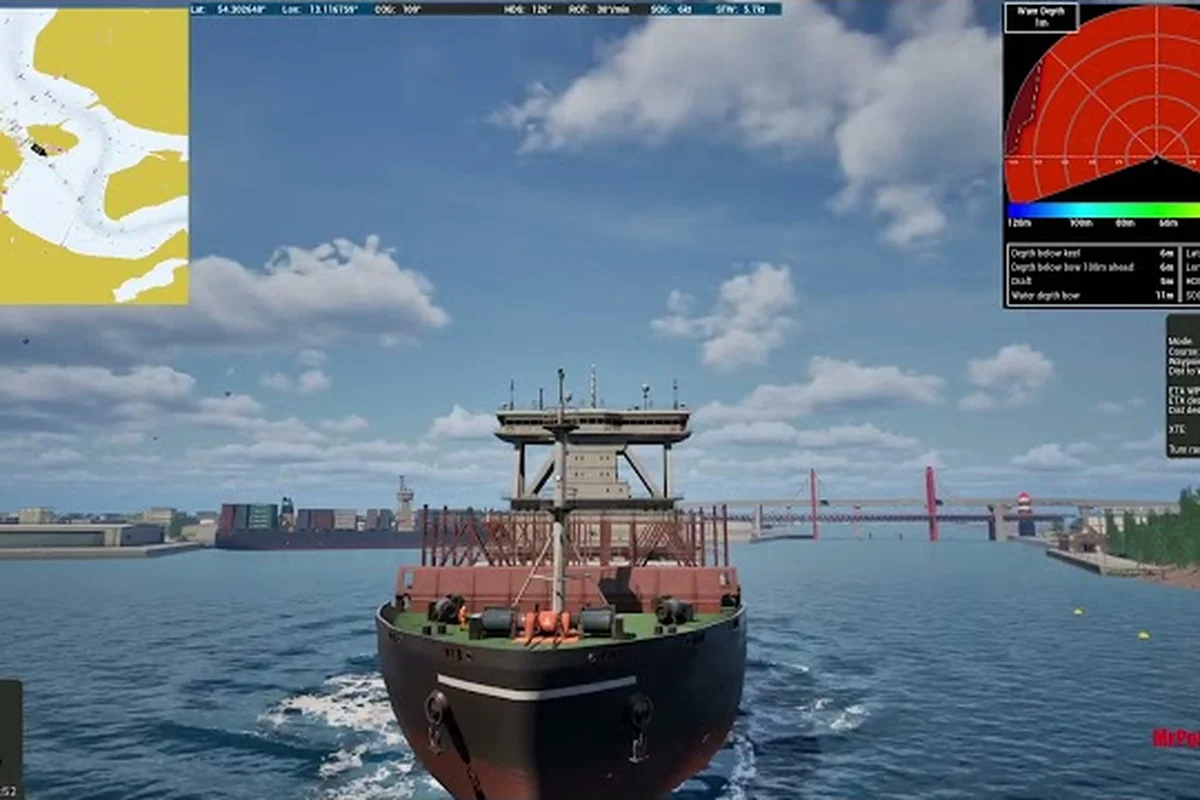
Professional Ship Simulator custom ships are reshaping how captains stock their fleets, and the addon hulls showing up on the Workshop right now go well beyond the two starter vessels. Third-party vessels now fill berths from trawler quays to superyacht marinas, and a parallel wave of custom scenarios and scenery mods is rewriting the harbors those new ships call home. This guide walks through what is actually published, how the install path works, and how to fold addon ships, scenarios, and scenery into a stable build without breaking your save.
Four Addon Lanes in the Current Mod Scene
The modding scene for Professional Ship Simulator splits into four lanes: addon ships, custom scenarios, scenery mods, and Unreal Engine scenery drops. Each lane has its own maturity, its own install quirks, and its own most-active contributors, so captains planning a long subscription list benefit from understanding the full picture before clicking subscribe.
| Modding lane | Maturity status | Authoring tool | Reference implementation |
|---|---|---|---|
| Addon ships | Work in progress (WIP) | Unreal SDK (under development) | First early example on Steam Workshop as reference implementation |
| Custom scenarios | Supported, documented | In-game scenario editor | Example projects published on Steam Workshop |
| Scenery mods | Supported, uses real height/depth data | Built-in landscape editor | Same data set as the two start regions |
| Unreal Engine scenery addons | Supported, separate author pipeline | Unreal Engine authoring | Drop-in via Workshop + Editor update pass |
What the Official Modding Stack Supports
According to the official modding summary, the four supported areas are creating and sharing custom scenarios, importing your own ships and configuring them, modifying the landscape and adding scenery items, and Unreal-authored scenery addons. That scope means a Workshop subscriber can mix a new hull with a new harbor backdrop and a new mission brief in the same play session, as long as every package was built against the matching Editor version.
Why Addon Ships Are Still Maturing
Ship mods remain officially labeled as work in progress. An Unreal SDK is under active development to support addon ship mods at full quality, and a first early example is already available on the Workshop as a reference implementation for creators who want to study working rig metadata. That status flag matters: addon ships you subscribe to today may need to be re-downloaded or repackaged once the SDK leaves preview, and several authors are explicitly holding back full hulls until the public toolchain stabilizes.
How the Editor and the Workshop Connect
A subscription alone is not enough. Players open the Editor section inside Professional Ship Simulator and press update mods, which installs every valid package matching the current subscriptions. Invalid or outdated packages are skipped during that pass rather than blocking the rest of the loadout, so a single broken addon will not take down your whole fleet. The same update flow applies to custom scenarios and scenery mods, which keeps the install path uniform across all four lanes.
Comparing Addon Ship Categories and Workshop Drops
Addon ships and their supporting mods cluster into recognizable categories. The table below summarizes the four lanes captains most often subscribe to, what each lane actually contains, and how mature the average Workshop drop tends to be.
| Mod Lane | What It Adds | Typical Author | Maturity |
|---|---|---|---|
| Addon Ships (Unreal SDK) | Hull + rig + handling data | Community mesh authors | Early reference, SDK in preview |
| Custom Scenarios | Mission briefs, weather presets, payout tables | Scenario designers | Mature, broad coverage |
| Scenery Mods | Static props, harbor furniture, light placements | Level designers | Mature, fast updates |
| Unreal Engine Scenery | Full height-mapped regions with foliage | Engine-native creators | Growing, high fidelity |
Addon Ships and Third-Party Hulls
Addon ships are the headline lane for most subscribers because a new hull changes the way every mission plays. The reference hull already on the Workshop is the blueprint third-party authors are cloning: a named folder holding the mod data, a rig selection from the in-game Ship Editor, and a package that the upload flow will accept without manual moderation. According to the official upload documentation, the upload flow asks for a mod name that matches the folder name holding the mod data, then a rig selection, after which the package is submitted and queued for review.
Custom Scenarios and Mission Payouts
Custom scenarios are the most prolific lane on the current Workshop. Authors use the in-game scenario tooling to script a brief, set wind and current, and tune the payout table so the mission matches a chosen difficulty tier. Several top-rated scenarios double as training rooms: short routes with forgiving weather, ideal for learning a new hull's handling before taking it into paid work. Players who want a structured earnings ladder will find the mission payouts breakdown useful for comparing built-in versus custom difficulty.
Scenery Mods and Engine-Native Drops
Scenery mods are static but they shape the visual identity of every harbor. Light placements, dock furniture, and crane props all sit in this lane, and the same real height and depth data used by the two start regions is available to authors, so a scenery drop can sit flush against the default coastline without seams. Engine-native scenery addons authored in Unreal push fidelity further by importing the same height map and rebuilding the region at engine scale, which is why harbor overhauls are landing faster than full hull replacements right now.
Install, Subscribe, and Update Workflow
The install path is identical for every Workshop package, which is what makes mixing addon ships, scenarios, and scenery in one loadout practical. A captain who learns the flow once can run it for every new mod they subscribe to for the rest of the Early Access cycle.
Step-by-Step Subscribe and Update
-
Open the Workshop page for Professional Ship Simulator in the Steam client and find the addon ship, scenario, or scenery mod you want.
-
Click subscribe on the item page. The package downloads to your local Workshop cache automatically.
-
Launch Professional Ship Simulator and load any save. The mod will not appear yet because subscriptions alone do not install files.
-
Open the Editor section from the main menu and locate the mod management entry.
-
Press update mods. The Editor walks every valid subscription and installs matching packages into the active profile.
-
Restart the title if prompted. Some scenery drops require a full client restart before the new region meshes correctly.
-
Verify in the loadout screen or scenario browser that the new hull or mission is present before you push the file out to your fleet roster.
Invalid or outdated packages are skipped during that update pass, which keeps a single broken drop from blocking the rest of the install. According to the official Workshop installation documentation, this silent skip is the expected behavior, so captains checking a long subscription list should read the Editor log to confirm every package was either installed or intentionally skipped, not just assume the run succeeded.
Why the Mod Update Pass Skips a Package
A mod that fails the update pass usually has a folder name that does not match the declared mod name, or a rig entry that does not line up with the in-game Ship Editor options. Authors publishing reference implementations keep the mod name and the folder name identical, drop the rig metadata into a single file at the root, and avoid spaces in path segments. Subscribers cannot fix a broken drop, but recognizing the symptom — a skip entry in the Editor log that names a specific package — saves time when a hull fails to appear in the loadout screen.
Stacking Mods Safely Across the Four Lanes
The real value of the Professional Ship Simulator modding stack shows up when addon ships, custom scenarios, and scenery mods are stacked into a single profile. Done well, the result feels like a parallel release branch; done badly, it produces a save file that will not load. The discipline below keeps a multi-lane loadout stable across the Early Access churn.
| Lane | Install method | Update trigger | Failure mode on stack |
|---|---|---|---|
| Addon ships (Unreal SDK) | Steam Workshop subscribe → Editor → Update mods | In-game Editor "Update mods" pass; matching subscriptions install | Incompatible ship package skipped, partial fleet spawn |
| Custom scenarios | Workshop subscribe → Editor update | Same Editor update pass | Scenario referenced missing ship → mission fails to load |
| Scenery mods (in-engine) | Workshop subscribe → Editor update | Same Editor update pass | Heightmap mismatch with start region → save file rejects load |
| Unreal Engine scenery drops | Workshop subscribe + manual asset verification | Editor update + manual UE asset check | Outdated UE package skipped silently, no log entry |
Build a Profile Per Use Case
Rather than subscribing to every drop and pressing update mods on a single catch-all profile, serious captains maintain two or three named profiles. A training profile pairs forgiving custom scenarios with one reference hull, while a paid-work profile keeps the default fleet and adds scenery drops only. Switching profiles is faster than debugging a contaminated install, and it gives you a clean baseline whenever a new SDK preview breaks an addon ship.
Update on a Schedule, Not on Impulse
The Workshop moves constantly, and pressing update mods after every individual subscribe tends to surface half-finished packages that were uploaded and then pulled within hours. Community feedback suggests batching updates once a day rather than reacting to each new drop, because the Editor's skip-on-invalid logic is the only line of defense against a publisher who uploads a placeholder rig before finishing the mesh.
Read the Editor Log Before You Sail
The mod management screen writes a per-package line for every install or skip. That log is the single most reliable diagnostic when an addon ship is missing from the loadout or a scenery mod fails to repaint a harbor. Players who skim the log before pushing the profile into paid work catch the bulk of mid-week breakage before it costs them a payout.
Recommended Mod Stacks for Different Captain Profiles
Not every captain needs every lane. The stacks below match common play patterns to the right mix of addon ships, custom scenarios, and scenery mods, so a new subscriber can copy a working loadout rather than guess at one.
The Training Captain Stack
This stack prioritizes hulls and forgiving missions over harbor flair. A training captain wants to learn new handling characteristics, so the addon ship lane is the focus, with one or two reference hulls from authors who publish handling notes alongside the package. Custom scenarios come in only as short, low-wind routes that act as handling drills. Scenery mods are kept to a minimum because the goal is to repeat the same berth until muscle memory forms. For captains starting from the built-in trawler or yacht line, the trawler and yacht guide pairs well with this stack as a baseline reference.
The Paid-Work Captain Stack
Paid-work captains treat the Workshop as a way to extend the mission ladder. The custom scenarios lane does the heavy lifting, because authored mission briefs can tune payout tables and weather to match a chosen tier. Addon ships stay at the default roster to avoid breaking handling assumptions, and scenery mods are added selectively to keep the harbors the captain frequents visually fresh. The point of this stack is throughput, so stability matters more than visual flair, which is why most paid-work loadouts cap at three to five active packages.
The Showboat Captain Stack
The showboat captain treats the harbor as the destination. Scenery mods and Unreal Engine scenery drops carry the profile, with addon ships selected for silhouette rather than handling and custom scenarios chosen for their berth rather than their payout. This stack refreshes more often than the others because the Workshop scenery lane is the most active, and the captain typically subscribes to a curated list of two or three prolific scenery authors rather than browsing the full catalog.
The Author Stack
Authors building their own packages need a different loadout entirely. The reference hull on the Workshop is the most important subscription because it shows the folder and rig structure the upload flow expects. Custom scenarios are added as testing rooms for new hulls, and scenery mods are kept minimal so a new package can be tested in a known visual baseline. Authors who want to publish their own drops should study the official upload flow before they start, because the upload page asks for a mod name that matches the folder name, and getting that detail wrong up front costs a re-submission cycle.
Frequently Asked Questions
What is the current state of Professional Ship Simulator custom ships?
Addon ships are still officially marked as work in progress, and an Unreal SDK is under active development to support them at full quality. A first early example is already on the Workshop as a reference implementation, so third-party authors have a working template to clone today, but full hull replacements are landing slower than custom scenarios or scenery mods because the public toolchain is still preview-stage.
How do I install a Professional Ship Simulator addon ship after subscribing?
Subscribing on the Steam Workshop page is only the first step. Launch Professional Ship Simulator, open the Editor section from the main menu, and press update mods. The Editor walks every valid subscription and installs matching packages, while invalid or outdated ones are silently skipped so they do not block the rest of your loadout. A client restart is sometimes required for scenery drops to mesh correctly.
Can custom scenarios change mission payouts and difficulty?
Yes. Custom scenarios are authored in the in-game scenario tooling, and authors tune the weather, current, and payout table to match a chosen difficulty tier. That is why scenario mods are the most prolific lane on the current Workshop, and why a paid-work captain can build an entire earnings ladder out of community-authored briefs rather than relying on the built-in mission set.
What is the difference between scenery mods and Unreal Engine scenery drops?
Scenery mods add static props, light placements, and harbor furniture on top of the default regions using the same real height and depth data as the two start areas. Unreal Engine scenery drops import the same height map and rebuild the region at engine scale, which gives them higher fidelity foliage and terrain. Both install through the same update mods flow, but Unreal drops are heavier and ship less often than classic scenery mods.
Will my addon ship break when the Unreal SDK leaves preview?
Probably yes, at least once. Authors are explicitly holding back full hulls until the public toolchain stabilizes, and a SDK transition typically forces a re-packaging pass for early Workshop entries. Captains who build a long subscription list should expect to re-run update mods after each major SDK milestone and to read the Editor log for skipped packages before assuming a hull has disappeared.