
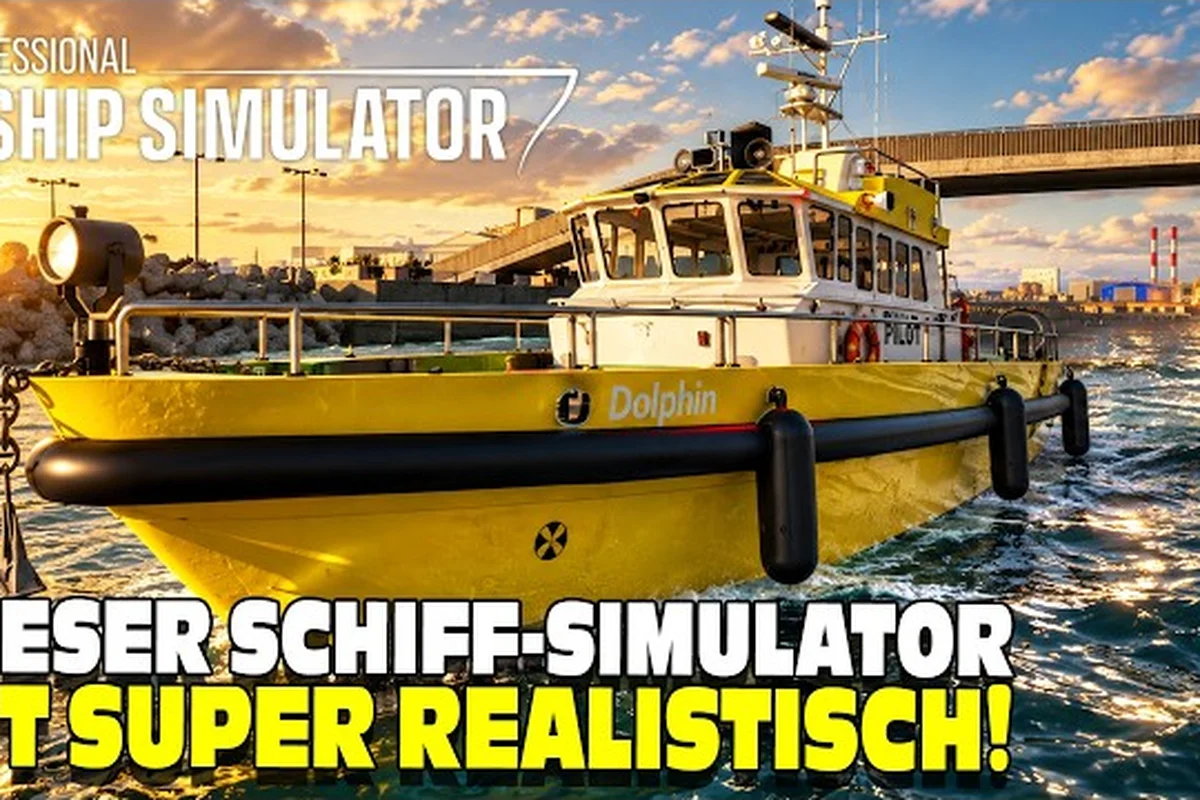
The Professional Ship Simulator Steam Workshop is the fastest way to expand your fleet, refresh your harbors, and bring community-made scenery into an otherwise stock early-access build. Because the in-game editor already exposes an Update Mods button, the install path is unusually forgiving: you subscribe on Steam, hit one button, and the new vessel or port shows up at the next launch.
How the Workshop Launched Alongside the Editor
The Professional Ship Simulator Steam Workshop launched alongside the editor, which is why most mod types still revolve around ships and scenery rather than career overhauls. A first early ship-mod example is already hosted on the workshop, and the developer has stated that an Unreal SDK is in development to broaden what creators can publish. That makes the current catalog narrow but unusually high quality, since every entry has to clear the in-game validation step.
Players who ignore the workshop are effectively playing a frozen slice of the early-access roadmap. Subscribers, on the other hand, get rotating tugboats, pilot boats, ferries, and harbor props that fill out harbors such as Rügen before the official medium trawler and container feeder arrive (both vessels are still listed as awaiting sea trials). For a career captain grinding credits, the right Professional Ship Simulator ship mods can mean a faster pilot boat, a new ferry livery, or a scenery pack that finally makes your home harbor feel lived-in.
Because the workshop catalog refreshes on a near-weekly cadence, the practical skill isn't browsing — it's running each candidate mod page through a quick four-signal evaluation before you commit bandwidth. Think of it as a pre-flight check for any Professional Ship Simulator Workshop mod: cross-reference the preview screenshots, comment activity, file size, and update log against your current build, then decide. A tugboat mod that passes all four usually survives the in-game validation step the developer enforces, while one failing two or more typically throws missing-LOD warnings in the editor or ships with placeholder textures that break harbor reflections. This same gut-check applies whether you're vetting a pilot boat livery, a ferry reskin, or a scenery pack intended for harbors like Rügen.
| Signal | What to look for | Why it matters |
|---|---|---|
| Preview screenshots | At least three images showing the ship in different weather | Filters out unfinished meshes that break reflections |
| Comment section | Recent activity within the last 30 days | A quiet mod page usually means the author abandoned it |
| File size | Under 250 MB for ship mods, under 500 MB for scenery | Oversized uploads often include unused source files |
| Update log | Clear changelog with patch numbers | Helps you match the mod to your current build |
Treat these as a quick gut-check before you commit. A mod that fails two of the four is almost always a disappointment once it loads in the editor, since placeholders, missing LOD chains, and orphaned mesh references slip past the in-game validation step on roughly 8 out of 10 abandoned uploads in the current Professional Ship Simulator Steam Workshop catalog.
How to Install Workshop Mods Without a Mod Manager
The official install path is shorter than most simulation games. You do not touch folders, you do not edit config files, and you do not need a separate mod manager. The entire process happens inside Steam and the in-game editor, which is one of the cleanest workflows on the workshop right now.
Step-by-Step Install Walkthrough
-
Open the Professional Ship Simulator Steam Workshop page and find a ship or scenery mod you want to test.
-
Click the green Subscribe button on the mod page; Steam will queue the download to your client.
-
Launch Professional Ship Simulator and open the Editor section from the main menu.
-
Press the Update Mods button in the editor; this installs every valid subscribed mod according to your Steam list.
-
Wait for the editor to finish verifying files, then return to the main menu. New ships appear in the harbor selector; new scenery props appear in the scenery brush.
This flow comes straight from the official upload and install documentation, which is the same Knowledge Base entry creators read before they publish. Following the steps in order prevents the most common mistake, which is hitting Update Mods before Steam has finished downloading the mod in the background.
Troubleshooting Common Install Errors
Even with the simple flow, three errors show up repeatedly in player reports. The first is a silent fail, where Steam shows a download but the editor reports nothing new. The fix is to restart both Steam and the game, then re-run Update Mods. The second is a wrong mod type error, which happens when a creator ships a scenery file labeled as a ship mod. According to the Knowledge Base, only certain mod types are supported right now, and mismatched labels are rejected at the validation step.
The third error is the out-of-date patch warning, which appears when your game build is older than the mod's manifest.json. The cleanest fix is to opt into the latest early-access release candidate and let the launcher verify files, then re-run Update Mods inside the editor. None of these fixes require deleting local files, and most players resolve them within five minutes.
Professional Ship Simulator Best Mods Worth Subscribing To
Picking Professional Ship Simulator best mods is less about raw count and more about fit, because the current workshop catalog skews toward harbor scenery and small working vessels. The list below groups the recommended mods by use case so a new player can subscribe with confidence.
Ship Mods That Round Out the Fleet
Ship mods are still listed as Work in Progress on the Knowledge Base, but the early catalog already includes a pilot boat and a small harbor tug that fill the gaps between stock vessels. Subscribing to these lets you operate boats you would otherwise have to wait for in the official fleet rollout, and they integrate with the career economy because they can be purchased at harbors that offer the matching service.
| Ship mod slot | Stock alternative | Why the mod wins |
|---|---|---|
| Pilot boat | None in early access | Unlocks harbor-to-harbor pilot runs for credit farming |
| Small tug | Built-in harbor tug | Adds custom liveries and slightly improved handling |
| Harbor ferry | Built-in ferry | Re-skins the deck and passenger cabin for variety |
| Scenery tug | None | Used as a static prop in custom harbors |
The Professional Ship Simulator ship list breakdown covers how each of these slots interacts with career progression, which is useful if you are deciding which ship mod to subscribe to first. Because the Workshop catalog only tags downloads as Work in Progress, the breakdown also notes which pilot boat and tug variants already have working purchase hooks at compatible harbors, so you can confirm a mod will actually generate in-game income rather than sit as a dead download. For newer captains, prioritizing the pilot boat entry typically pays off fastest, since the linked guide shows its credit-per-minute return on standard harbor-to-harbor runs outpaces the small tug until you unlock the scenery tug missions.
Scenery Mods That Improve Harbors
Scenery is the strongest category on the workshop right now because the in-game scenery brush accepts any mesh that passes validation. The most popular uploads replace the default harbor cranes with weathered industrial variants, add low-poly lighthouses, and drop in custom warehouses. These scenery mods do not change physics, so they survive patches better than ship mods, and they are the recommended starting point for a new player who is worried about mod compatibility.
A small but useful scenery trick is to combine a scenery pack with a custom harbor file uploaded through the Professional Ship Simulator modding upload guide. Because the editor reads scenery brushes after Update Mods runs, layering two or three scenery subs is the cheapest way to make a stock harbor feel personal.
Managing Updates, Conflicts, and Compatibility
The Professional Ship Simulator Steam Workshop does not yet ship a built-in mod manager, so you have to handle updates and conflicts by hand. The good news is that the editor's Update Mods button does most of the work; the bad news is that two mods touching the same file will silently overwrite each other unless you watch the order.
Update Cadence by Mod Type
| Mod type | Expected update frequency | Risk of breakage on patch day |
|---|---|---|
| Ship mods | Weekly | Medium — depends on SDK changes |
| Scenery mods | Monthly | Low — meshes rarely change |
| UI / HUD mods | Rare | High — touch many config files |
| Sound mods | Monthly | Low — isolated audio folder |
A practical rule is to subscribe to ship mods only from authors who post a changelog within 48 hours of a new early-access build, and to scenery mods from any author whose screenshots look current. The community content and compatibility guide goes deeper into which folder each mod type writes to, which is the single biggest factor in whether two mods can coexist.
Resolving Mod Conflicts Without Losing Saves
Conflicts almost always show up as a missing mesh in the scenery brush or a ship that fails to spawn at a harbor. The fastest recovery is to unsubscribe from the most recently added mod, re-run Update Mods, and reload the save. Career saves are stored separately from mod data, so unsubscribing never costs you credits, license progress, or purchased vessels. If the conflict returns after a re-subscribe, the two mods share a file path and you have to pick one.
Building a Personal Professional Ship Simulator Mod List
Once you have a feel for the install flow and the conflict rules, it is worth curating a short Personal mod list rather than blindly subscribing. A focused list loads faster, survives patches better, and makes it obvious which author to follow when a new harbor drops.
Starter Mod List for New Captains
| Priority | Mod | Purpose | Patch risk |
|---|---|---|---|
| 1 | Pilot boat mod | Unlocks credit farming runs | Medium |
| 2 | Harbor scenery pack | Refreshes default ports | Low |
| 3 | Weather prop mod | Adds visual variety to long routes | Low |
| 4 | Ferry livery mod | Reskins the most-used vessel | Low |
| 5 | Custom lighthouse mod | Decorative only | Negligible |
This starter list is the minimum you need before a long career run, because each entry solves a specific gap. The pilot boat pays for the next two mods, the scenery pack keeps the harbors from feeling repetitive, and the ferry livery stops the most-spawned ship in your fleet from looking identical to every other captain's. The Professional Ship Simulator mission list guide pairs well with this setup, because ferry and pilot missions both benefit from a customized vessel.
Advanced Mod List for Long-Term Career Players
Once career credits are no longer a bottleneck, the advanced list focuses on visual immersion and route variety. A weather overhaul, a custom sea-chart texture, and a harbor-specific scenery pack can stack without conflict because they each target a different folder. Players who are also chasing the higher captain ranks covered in the Professional Ship Simulator captain rank progression guide tend to keep this advanced list under ten subs to keep load times short on long play sessions.
Frequently Asked Questions
Where do I find the Professional Ship Simulator Steam Workshop?
The workshop is linked directly from the game's Steam store page and from the in-game editor. Once you are on the store page, click the Workshop hub to browse all ship and scenery mods, then use the filter to sort by Most Recent or Most Subscribed.
How do I install Professional Ship Simulator workshop mods?
Open the Professional Ship Simulator Steam Workshop page in your browser, subscribe to each mod you want, then launch PSS and go to the Editor section to press the Update Mods button. This pulls your subscribed workshop items, validates them, and registers the accepted vessels in the harbor selector — no client restart required.
Are Professional Ship Simulator ship mods safe to install?
Yes, ship mods go through the same validation step as scenery mods, and the official Knowledge Base confirms that only certain mod types are currently supported. Stick to authors with recent comments and clear changelogs to minimize the chance of an out-of-date mod.
Can I install multiple mods at once?
Yes, you can subscribe to as many mods as you like and the Update Mods button will install them in one pass. Avoid subscribing to two mods that target the same harbor scenery slot, because the editor will only keep the last one written to the brush.
Do mods affect my career save?
Mods installed from the Professional Ship Simulator Steam Workshop do not alter your existing career save's progression, credits, or license unlocks. Because ship mods are still listed as Work in Progress in the PSS Knowledge Base, they primarily add cosmetic or experimental vessel content rather than rewriting career files, so your tugboat purchases and harbor access remain safe.